Imagify Pricing Explained: Plans, Quota and Which One You Need
Imagify is one of the most searched image optimisation plugins for WordPress, and a lot of those searches are for "Imagify Pro". That name causes confusion, because Imagify does not work like a normal premium plugin with a licence file. You do not buy a Pro version of the plugin. You buy monthly optimisation quota on an Imagify account, and the plugin uses that account to do the work.
This guide explains what each plan costs, how the quota really gets used up, which plan suits which kind of site, and what to check before paying anyone. Prices and plan details were checked against Imagify's own pricing page and documentation on 15 October 2026. They are in US dollars, and taxes may be added depending on your country.
Direct Answer
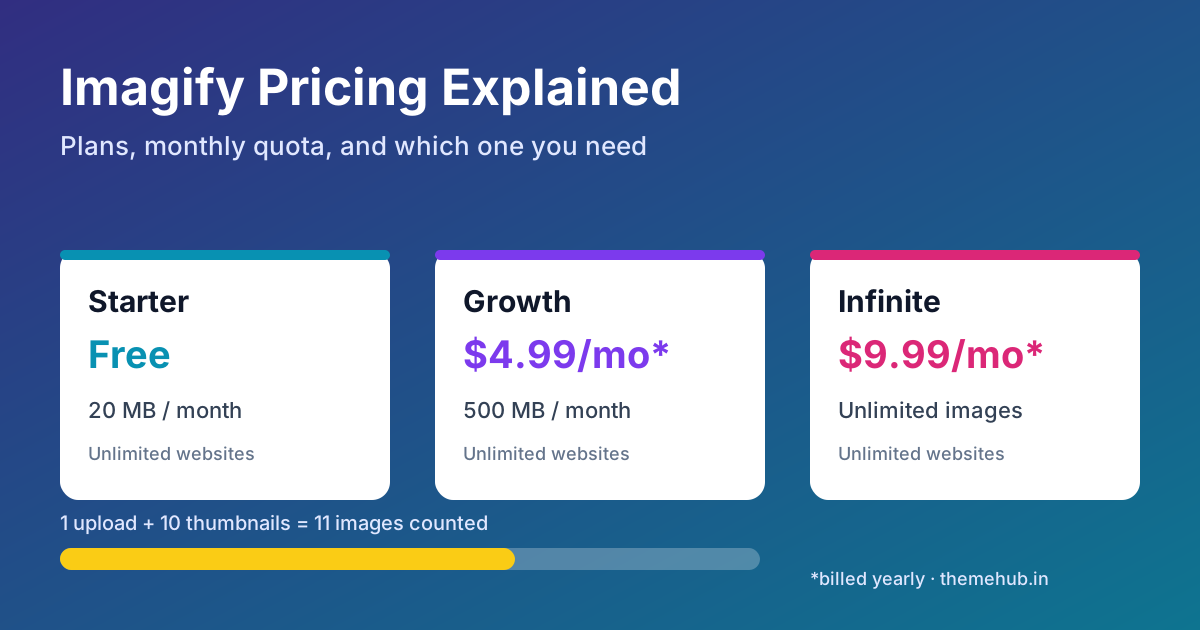
Imagify has three plans. Starter is free and gives you 20 MB of images a month, roughly 200 images, with a 2 MB limit per image. Growth costs $5.99 a month, or $4.99 a month billed yearly, for 500 MB a month, roughly 5,000 images, plus $5 for each extra GB. Infinite costs $11.99 a month, or $9.99 a month billed yearly, with unlimited images. Every plan, including the free one, covers unlimited websites, and you can upgrade, downgrade or cancel at any time.
The Plans Side by Side
| Plan | Price | Monthly quota | Upload size | Best for |
|---|---|---|---|---|
| Starter | Free | 20 MB (about 200 images) | Up to 2 MB per image | Testing, very small blogs |
| Growth | $5.99/month, or $4.99/month billed yearly | 500 MB (about 5,000 images), extra GB at $5 | Unlimited | Most business sites and steady blogs |
| Infinite | $11.99/month, or $9.99/month billed yearly | Unlimited | Unlimited | Shops, agencies, large media libraries |
Imagify lists the same core features across plans: smart compression, WebP and AVIF conversion, and asynchronous bulk optimisation of your existing library. The difference between plans is how much you can process each month, not which features you get.
How Imagify Actually Works
The Imagify plugin connects your WordPress site to your Imagify account with an API key. When you upload an image, or run bulk optimisation, the plugin sends the file to Imagify's servers, which compress or convert it and send back the lighter version. The optimised file is then stored on your own hosting.
Two things follow from this:
- The value is in the account, not the plugin file. The plugin is the connector. Quota, plan limits and billing all sit on the Imagify account linked to your API key.
- One account can serve many sites. Because every plan allows unlimited websites, an agency or freelancer can use one Growth or Infinite account across several client sites, as long as the shared quota is enough.
How the Quota Gets Used Up
The "about 200" and "about 5,000 images" figures assume small average file sizes. Your real number depends on three things that Imagify's documentation explains.
Thumbnails count too
WordPress creates several resized copies of every upload. Imagify notes that if your site has 10 thumbnail sizes, optimising one upload counts as 11 images: the original plus the ten copies. A theme or page builder that registers many image sizes can multiply your usage quickly.
Quota is measured by file size
Imagify deducts the size of the file you send. Send a 100 KB image and 100 KB comes off your quota. A photographer uploading 4 MB camera files will burn through 500 MB far faster than a blog using 150 KB screenshots. Resizing large images before or during upload is the easiest way to stretch a plan.
Re-optimising costs again
If you re-optimise images at a different compression level, that uses quota a second time. Restoring an image to its original neither uses quota nor gives it back.
When a monthly quota runs out, new images simply stop being optimised until the next month, unless you upgrade or enable the option to keep optimising at $5 per extra GB. Images already optimised stay optimised, because those files are on your server.
Which Plan Fits Your Site?
- A brochure site or a blog publishing a few posts a month: start on Starter. If you regularly hit the limit, or your images are over 2 MB, move up.
- An active business site, or a first-time bulk clean-up of an older library: Growth is usually enough. Work out your average upload size and thumbnail count first so you know how many images 500 MB really covers.
- A WooCommerce store with many product photos, a media-heavy site, or an agency running several client sites on one account: Infinite removes the guesswork, and billed yearly it is $9.99 a month.
A practical approach is to run the bulk optimiser on Growth for a month to clear your existing library, then step down to Starter if your new uploads are light. Imagify allows downgrading at any time.
If you are still choosing your wider performance setup, our WordPress image optimisation checklist covers formats, lazy loading and sizing, and our guide to WP Rocket pricing explains the caching side, since the two are often used together.
About "Imagify Pro" Licences and Group Buys
Because Imagify is quota on an account, a "Pro" plugin file or a shared licence key from a third party does not add quota to your account. At best, you are using someone else's API key, which means they can see your usage, change or revoke the key, and the images you send pass through an account you do not control. At worst, a modified plugin file can carry code you would never knowingly install.
If you see Imagify offered as a downloadable "Pro" plugin or licence anywhere, including older catalogue listings, ask exactly what is being provided: whose account the API key belongs to, what the monthly quota is, and for how long. Our checklist on what to check before buying a plugin licence key applies here too. ThemeHub's plugin catalogue includes Imagify as a reference listing, and our support team confirms what is actually available, its terms and the final price before any payment.
Before You Pay: A Short Checklist
- Count your registered thumbnail sizes, so you know how many images each upload really uses.
- Check your average image size in the media library, then estimate monthly usage.
- Decide whether you need WebP or AVIF and confirm your theme and CDN serve them correctly.
- Turn on original-image backups in the plugin if you may want to restore later.
- Create the Imagify account in your own name or your client's, never on a shared key.
- Start monthly; switch to yearly only once you know which plan you will keep.
FAQ
Is Imagify free?
Yes, there is a free Starter plan with 20 MB of images a month, about 200 images, and a 2 MB limit per image. It works on unlimited websites.
How much does Imagify cost per year?
Billed yearly, Growth works out at $4.99 a month and Infinite at $9.99 a month, before any taxes. Monthly billing is $5.99 and $11.99.
Can I use one Imagify plan on multiple websites?
Yes. Every plan allows unlimited websites. The monthly quota is shared across all sites connected to the same account.
What happens when I run out of quota?
New uploads are no longer optimised until your quota resets, unless you upgrade or enable paid overage at $5 per extra GB. Images that were already optimised stay as they are.
Does Imagify convert images to WebP and AVIF?
Yes. Imagify lists WebP and AVIF conversion as a feature, alongside smart compression and bulk optimisation.
Sources
- Imagify, Pricing, checked 15 October 2026.
- Imagify Documentation, How is quota usage calculated?
- Imagify Documentation, How to continue optimizing after your monthly credit has been consumed